Pool Creation
This guide walks through Balancer's pool creation UI, which takes you from choosing a pool type all the way to seeding initial liquidity and deploying your pool on-chain. Connect a wallet on the network you want to deploy to before you begin.
Tips
If you run into problems or need a hand, reach out on Discord. Every step of the creation flow also has "Get help" and "Contact Support" links.
The creation flow
Creating a pool is a four-step process (Type, Tokens, Details, and Fund), with your progress shown across the top of the page. A Pool preview panel on the right updates continuously as you make selections, summarizing the protocol, network, tokens, and parameters for the pool you are about to create. If you want to start over, use Delete & restart at any point; note that once you advance past the Type step you can only change the network by restarting.
Step 1: Type
The first step sets the protocol, the network, and the pool type.
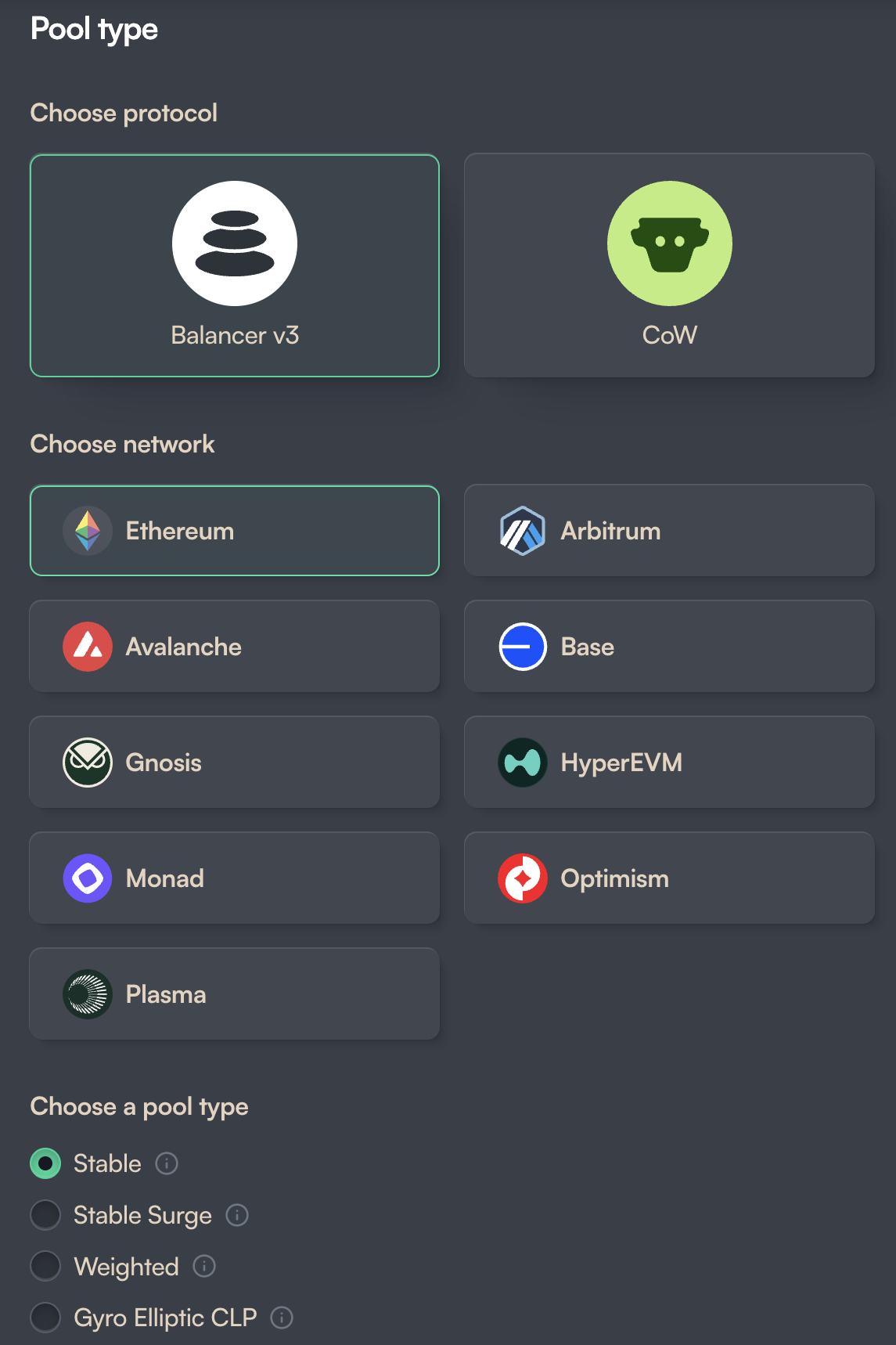
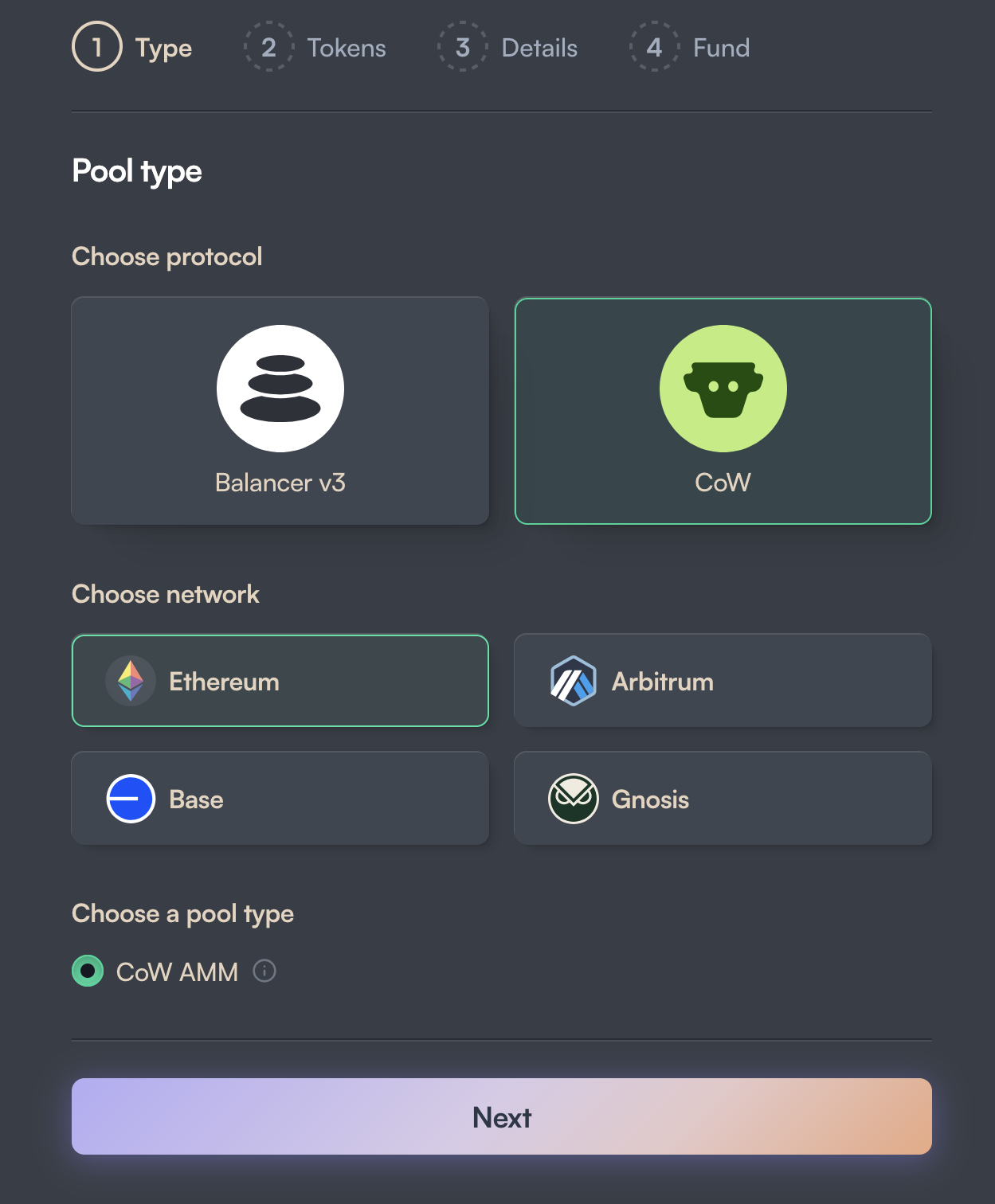
- Protocol: Choose Balancer v3 for the standard Balancer pool types, or CoW to create a CoW AMM whose trades are settled through CoW Protocol's batch auctions for built-in MEV protection.
- Network: Balancer v3 pools can be created on Ethereum, Arbitrum, Avalanche, Base, Gnosis, HyperEVM, Monad, Optimism, and Plasma. CoW pools are available on Ethereum, Arbitrum, Base, and Gnosis.
- Pool type: The available types depend on the protocol you selected.
For Balancer v3, you can choose from:
- Stable: optimized for assets that trade at or near parity, or at a known exchange rate; supports up to five tokens.
- Stable Surge: a standard Stable pool that uses the Stable Surge hook, which raises the swap fee when a trade pushes the pool further out of balance, helping to defend a peg.
- Weighted: flexible pools with configurable token weights, well suited to tokens without a price correlation; supports up to eight tokens.
- Gyro Elliptic CLP: concentrated-liquidity pools that focus liquidity along an elliptical price curve for better capital efficiency; limited to two tokens.
For CoW, the only type is the CoW AMM, a two-token weighted pool whose swaps are settled by CoW Protocol to protect liquidity providers from MEV and the losses that come from arbitrageurs rebalancing the pool.
Step 2: Tokens
Next you choose the pool's tokens and, where applicable, their weights.
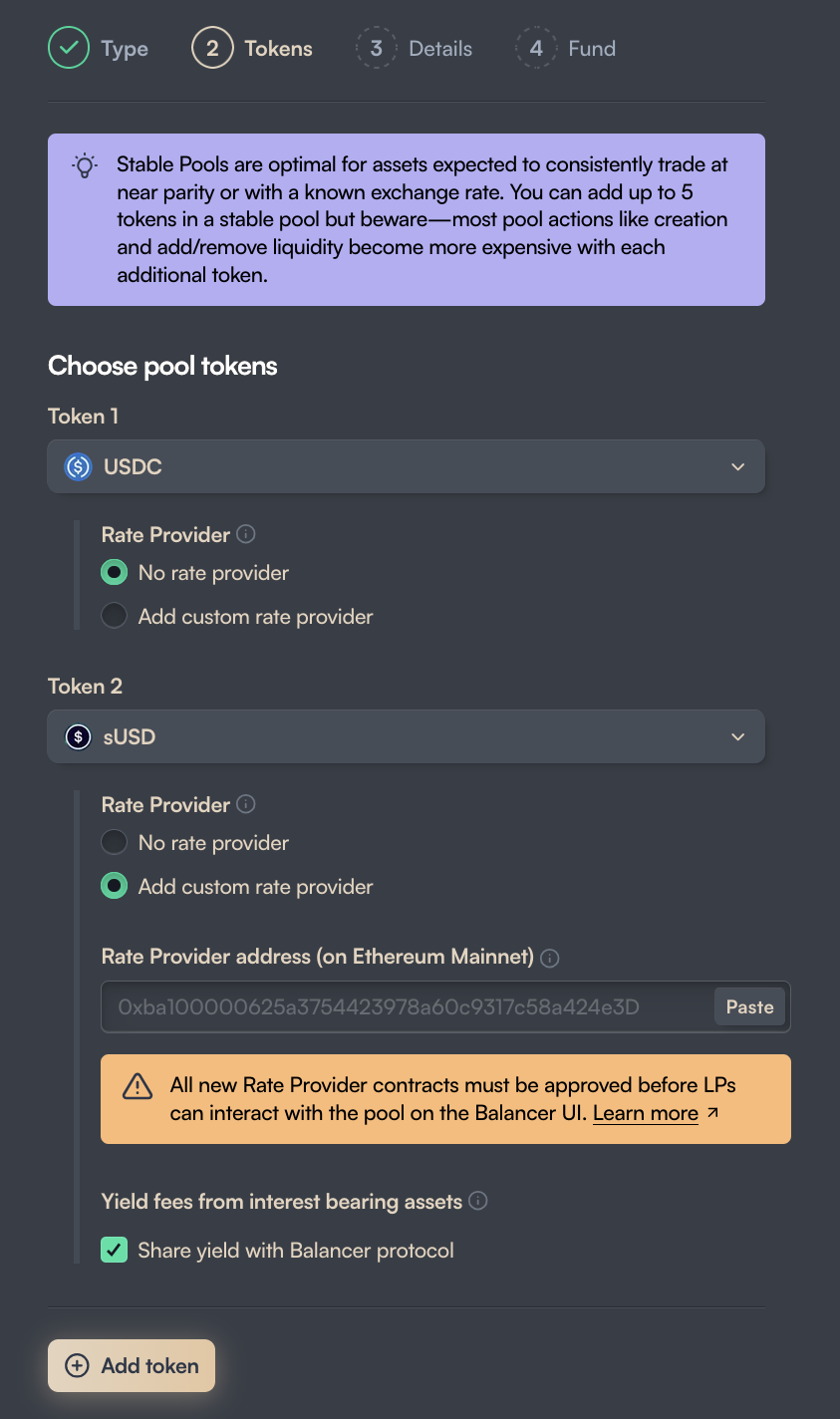
- Token selection: Every pool needs at least two tokens. Stable pools allow up to five and Weighted pools up to eight; Gyro Elliptic CLP and CoW AMM pools are limited to exactly two.
- Weights: Weighted and CoW AMM pools use a structure of 50/50, 80/20, or custom weights that you set per token.
- Rate providers: Yield-bearing tokens generally need a rate provider so the pool prices them by their underlying value. If the Balancer API already has a reviewed rate provider for the token, it is populated automatically; otherwise you can supply a custom one. Every new rate provider contract must be reviewed and approved before liquidity providers can interact with the pool through the Balancer UI.
- Yield fees: For interest-bearing assets you can choose to share yield with the Balancer protocol. Pools that do not share yield are unlikely to be approved for a BAL liquidity-mining gauge.
Step 3: Details
This step covers the pool's name and symbol, its management accounts, the swap fee, any pool type-specific parameters, and hooks.
- Name and symbol: Both are generated from the pool's tokens, and you can edit either.
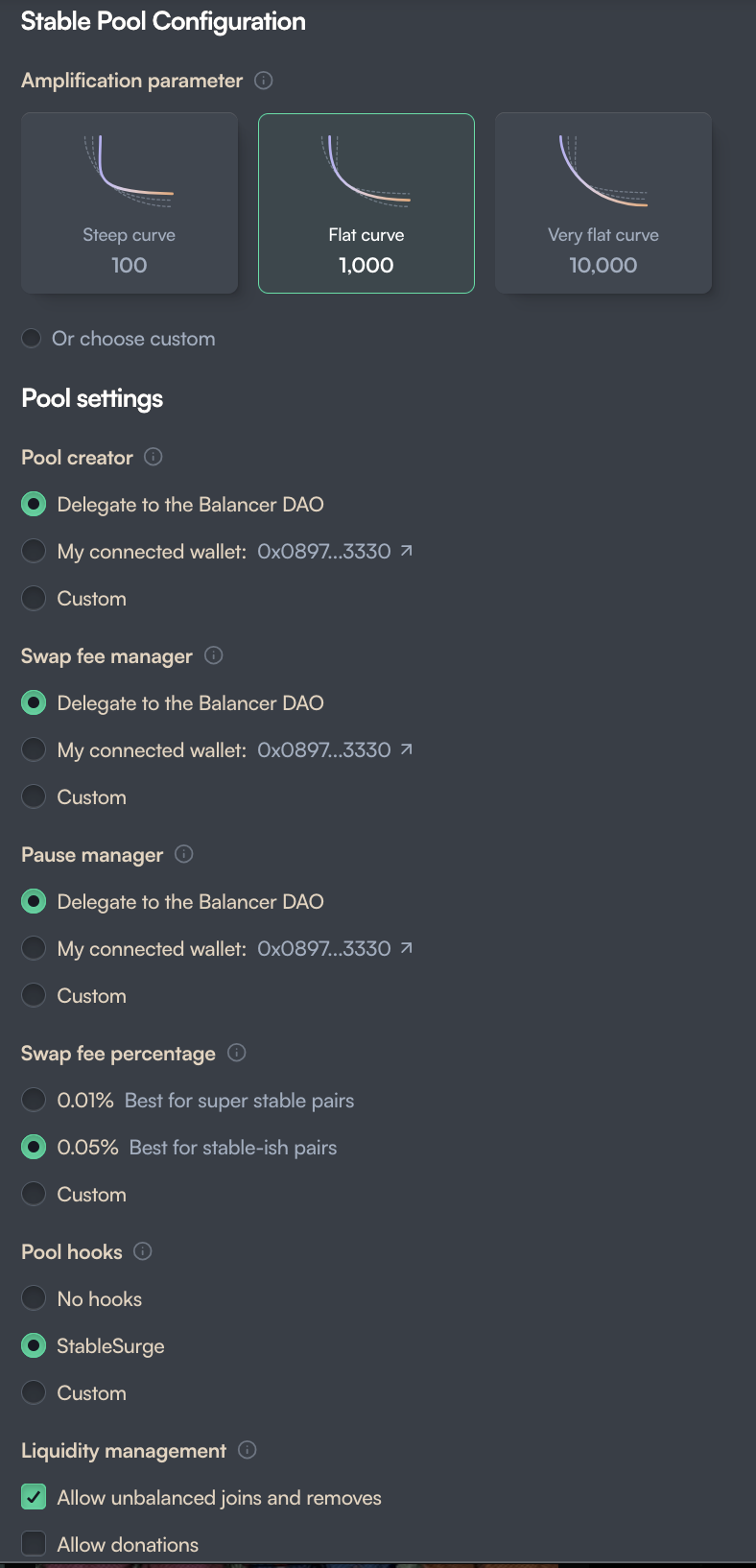
- Role accounts: The pool creator, swap fee manager, and pause manager can each be delegated to the Balancer DAO, assigned to your connected wallet, or set to a custom address.
- Swap fee: Pick one of the suggested fee tiers or enter a custom swap fee percentage.
- Liquidity management: Choose whether the pool will allow unbalanced joins and removes and whether it will accept donations.
Some pool types add their own parameters:
- Stable and Stable Surge pools require an amplification parameter, which controls how flat the pricing curve stays as the pool moves away from balance.
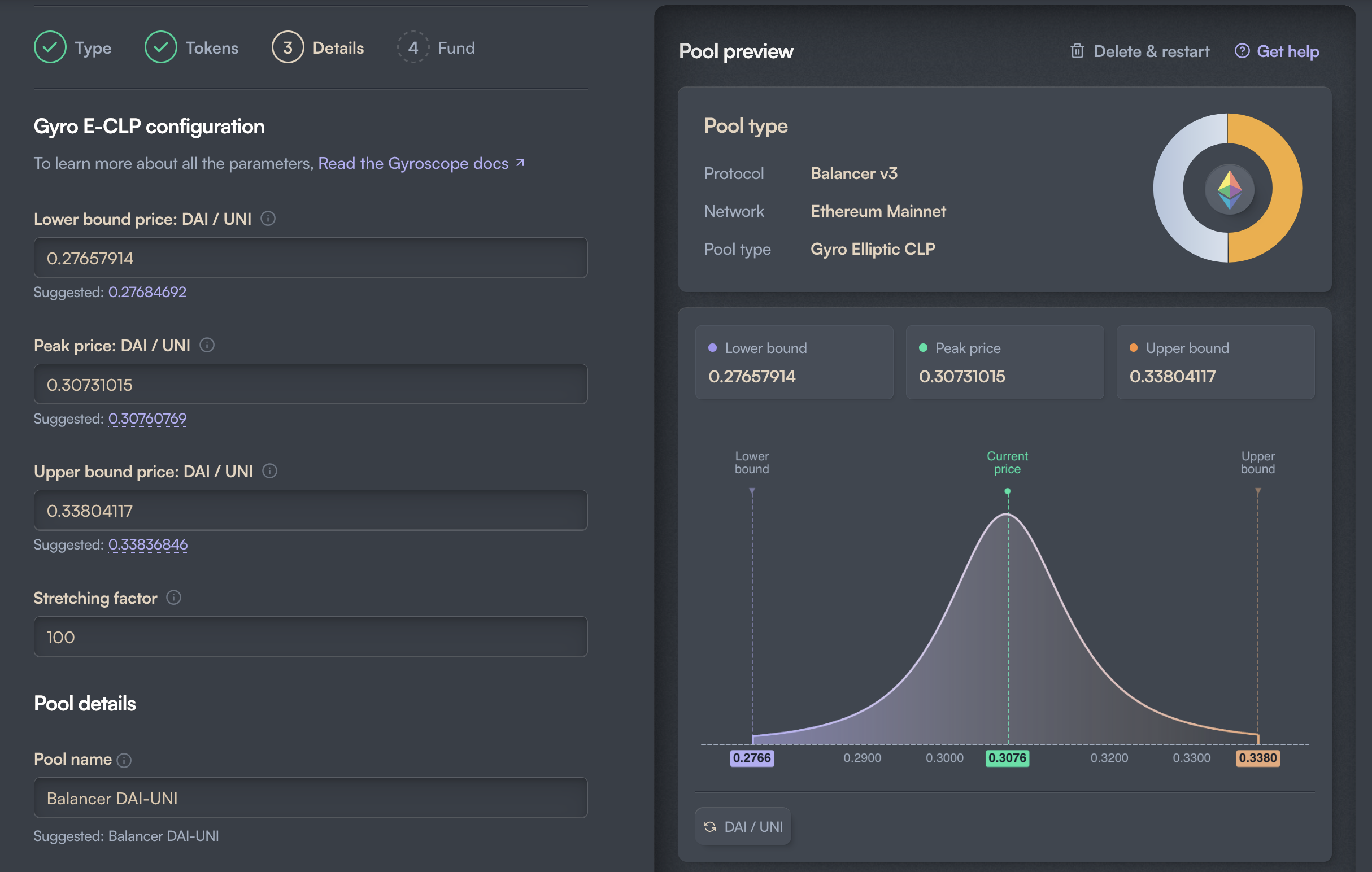
- Gyro Elliptic CLP pools require a price range (a lower bound, a peak price, and an upper bound) plus a stretching factor. The UI suggests values and previews the resulting liquidity curve.
Under Pool hooks you can attach a hook to the pool: No hooks, the built-in StableSurge hook (for Stable pools), or a Custom hooks contract that you supply.
Info
When attaching a custom hook, understand the permissions its onRegister function enforces. If the hook enables hook-adjusted amounts, the pool must disable unbalanced liquidity (leave "allow unbalanced joins and removes" unchecked), or registration will revert. A hook can also require specific settings, such as that the pool enables donations.
Step 4: Fund
The final step seeds the pool with its initial liquidity. A pool is only listed on the Balancer UI once it has been seeded.
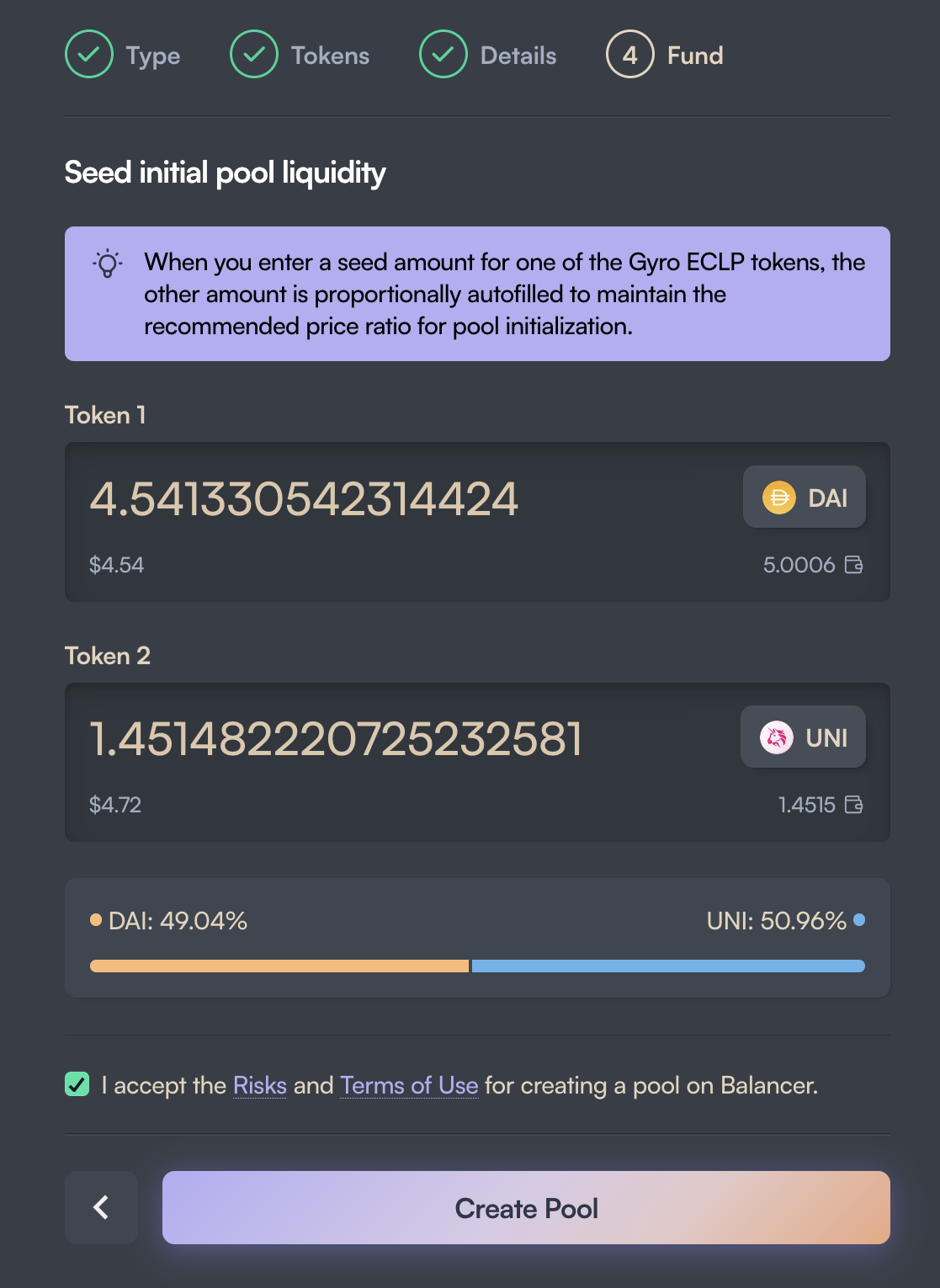
- Initial amounts: Add liquidity in proportion to the pool's target weights or price ratio. Funding a pool with disproportionate amounts exposes it to arbitrage, so the UI warns you when your amounts are off. For Gyro Elliptic CLP and CoW AMM pools, entering one token's amount auto-fills the other to maintain the recommended ratio.
- Confirm and create: Accept the risks and terms, then click Create Pool and confirm the transaction in your wallet.
Tips
- Your pool may take a few minutes to appear on balancer.fi.
- If you used a rate provider that has not yet been reviewed, your pool will not show on balancer.fi until it is.